Mastering the Blueprint: How Construction Simulation Technology Works for Modern Projects

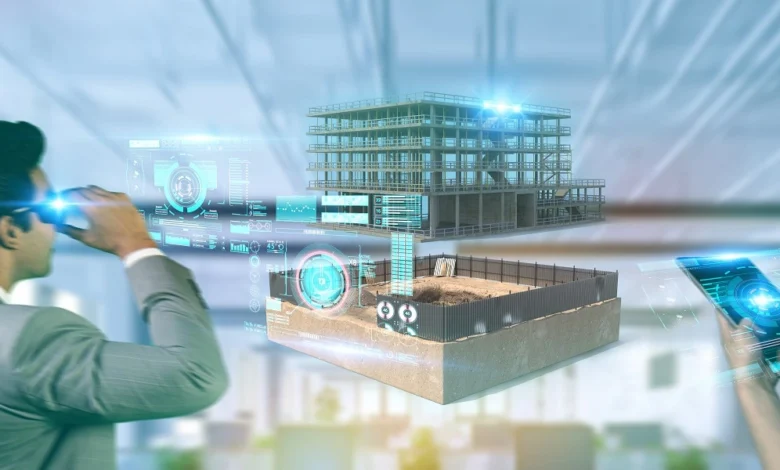
Imagine standing on a vast site, watching cranes lift beams into place without a single delay or accident. This vision comes alive through construction simulation technology. It lets teams build entire projects in a virtual world first, spotting problems before real work starts.
Construction simulation technology, or CST, uses computer models to test plans. It moves away from old-school drawings and guesses. Now, data shapes every step, cutting risks like budget overruns or safety issues. Teams save time and money with this shift. Key perks include better project flow and fewer surprises on site. For instance, construction simulation software benefits show up in smoother teamwork and faster builds. Plus, the digital twin in construction acts like a mirror of the real project, updating as things change.
Defining Construction Simulation Technology (CST)
What Exactly is Construction Simulation?
Construction simulation creates a virtual version of a build project. It models how parts come together over time, including costs and site limits. Unlike basic 3D models in BIM, which just show the end look, CST runs full tests of the process.
This tech helps teams see the build in action. It spots issues early, like tight spaces for machines. The definition of construction simulation covers tools for planning and fixing errors. CST vs BIM differs in depth: BIM is static, while CST adds motion and what-ifs.
Core Components of Simulation Platforms
CST platforms blend 4D for time, 5D for costs, and 6D for upkeep and green goals. Physics engines make models act real, like how wind affects a tall lift. Realistic rendering lets you walk through the site on a screen.
These parts work together for smart planning. 4D scheduling simulation ties tasks to the clock, showing delays at once. 5D cost modelling in construction tracks money as you tweak plans. Sustainability checks ensure the build lasts well.
The Role of Data Input and Real-Time Feeds
Simulations need solid data to run right. Teams feed in schedules, material details, site maps, and machine specs. This info builds a true picture of the job.
IoT devices can link up for live updates, like weather or stock levels. Real-time feeds keep the model fresh during the build. Without good input, results mislead. So, clean data from the start matters most.
The Mechanics of Simulation: How the Models are Built
Developing the Digital Twin Model
A digital twin starts with your design files from architects and engineers. Software turns these into a 3D copy that matches every angle and size. Accurate shapes prevent wrong assumptions later.
Teams scan sites or use lasers for exact ground data. This step ensures the twin reflects real conditions. Creating a digital twin model for construction takes care in details, like pipe routes or wall strengths.
Integrating the Time Dimension (4D Scheduling)
Link the 3D twin to a timeline, often from Gantt charts. Each task gets a slot, so you watch the build unfold virtually. Clashes pop up fast, like two crews in one spot.
This shows how one delay ripples out. For best results, input sequences step by step: start with foundations, then frames. Check links twice to avoid gaps. 4D helps teams adjust before real time slips away.
Simulating Resource Allocation and Logistics (5D)
Map out deliveries, crane spots, worker paths, and tool use on the timeline. See how a late truck jams the whole day. Costs jump into view, like extra idle time for crews.
Inefficient plans reveal hidden fees, such as overtime pay. In a big road swap project, like London’s Thames crossing, 4D cut traffic blocks by half. Teams phased work to keep lanes open. This saved weeks and eased driver stress.
Testing Scenarios and Identifying Critical Failures
Constructability Review Through Virtual Walkthroughs
Teams “walk” the virtual site to test tough lifts or tight fits. Spot if a beam won’t turn a corner or if space lacks for safety gear. Virtual constructability review flags these early.
Change the view to eye level for real feel. This cuts on-site fixes, which cost big. Identifying installation clashes saves rework and keeps the pace steady.
Analyzing Risk Factors and Contingency Planning
Run tests for rain delays, task chains, or team handoffs. Simulations show pile-ups, like wet ground slowing diggers. Add buffers based on these views, such as extra days for storms.
Research from build groups shows pre-checks drop errors by 20%. Plan backups for weak links, like backup suppliers. This turns risks into handled steps.
Performance Simulation: Energy and Sustainability Testing
Extend the model to check how the build runs long-term. Test sun paths for heat or air flow for cooling needs. Find green tweaks, like better insulation spots.
Do this before bricks lay to lock in savings. Simulations predict energy use over years. Teams adjust designs for lower bills and eco wins.
The Technology Powering the Simulation Engine
Simulation Software Platforms and Industry Leaders
Tools like Autodesk’s or Bentley’s focus on time plans or deep physics. Some handle big sites with easy links to other apps. Pick based on job size: simple for homes, strong for bridges.
In 2026, new updates speed up runs. The best construction simulation software 2024 reviews highlight user-friendly ones with quick setups. Compare features to fit your team.
The Role of Computational Power and Cloud Infrastructure
Big models need fast computers to crunch numbers quick. High-power setups handle thousands of parts at once. Cloud options let you scale without buying gear.
Upload files and run from anywhere. This cuts costs for small firms. Clouds also share access, so remote teams join in.
Interoperability and Data Exchange Standards (IFC)
Open rules like IFC let data flow between tools without loss. Move from design to sim to tracking smoothly. No more retyping specs.
This standard keeps everyone on the same page. It boosts teamwork across apps. Without it, errors creep in from bad transfers.
Implementing Simulation for Operational Excellence
Translating Virtual Insights into Field Directives
Turn sim results into clear plans, like new hoist paths or gate shifts. Break them into daily tasks for crews. Use photos or clips to show changes.
Share via apps for quick reads. For pre-task meetings, play short videos of the sim. This helps workers grasp the flow and stay safe.
Post-Construction Applications: Bridging to Facility Management (6D)
The tested twin becomes your ops guide. Track fixes, like HVAC checks, over time. It flags issues before they grow, extending the build’s life.
Link to sensors for live data on wear. 6D ties build to daily use. Owners save on surprise repairs this way.
Measuring ROI on Simulation Investment
Track wins like fewer order changes or shorter timelines. Reports show firms cut costs 15% with sims. Safety plans lower insurance too.
Look at total spend versus gains. One study notes 10-20% time drops on complex jobs. Weigh tools and training against these perks.
Conclusion: Building the Future, Virtually Today
Construction simulation technology shifts builds from guesswork to sure steps. It spots flaws early, saves cash, and stretches project value. Teams now predict and plan like never before, especially on tough sites.
Key takeaways:
- Data input drives accurate models and real insights.
- Simulations cut overruns by testing sequences first.
- CST links build phases to long-term ops for full gains.
Ready to try it? Start with a simple sim on your next job. You’ll see the difference right away.